Unitree AS2 vs Go2 EDU for indoor mapping and inspection
Updated 2026-11-20 · YUANZHI ROBOTICS engineering team
For indoor mapping and inspection, pick the Go2 EDU when the building has narrow aisles, the payload stays under about 8 kg and the job is mostly mapping with a LiDAR and a camera. Pick the AS2 (X or EDU version) when the payload includes a pan-tilt thermal head, when one shift must cover a long corridor or several floors without a battery swap, or when floors are wet or dusty. Both can be driven from a payload computer, so the choice comes down to size, load, runtime and which built-in LiDAR you can reuse.
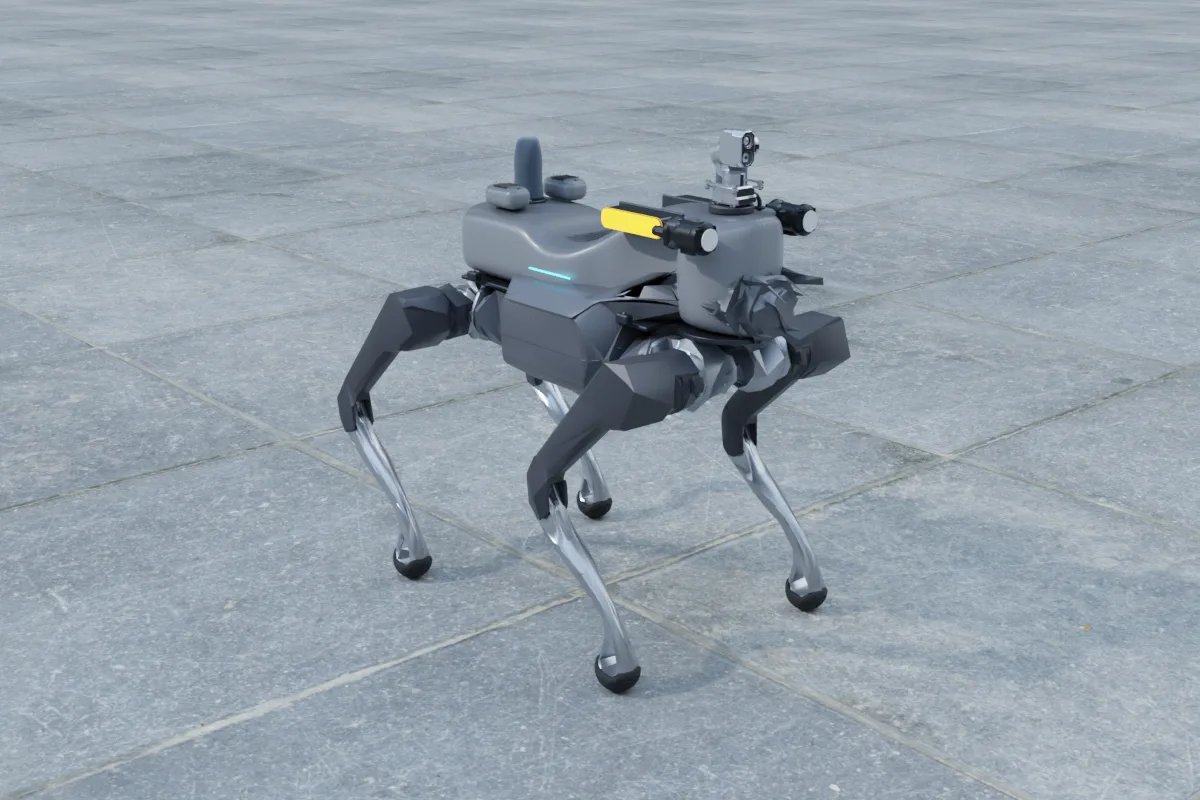
The two robots side by side
Go2 EDU figures below are from our platform catalog; AS2 figures are the ones Unitree publishes on its AS2 product page, which states they were measured under laboratory conditions. Confirm both against the current official specification before ordering.
| Go2 EDU | AS2 (X / EDU) | |
|---|---|---|
| Robot weight | About 15 kg | About 20 kg with battery |
| Body size | About 700 x 310 x 400 mm | 720 x 378 x 457 mm standing |
| Payload to plan against | About 8 kg | About 15 kg continuous walking load |
| Built-in LiDAR | Unitree L1 on the head (360 x 90 degrees, about 20 m) | Industrial 64 to 128-line 3D LiDAR |
| Battery and runtime | Depends on battery option; check the current Unitree table | 15,000 mAh (648 Wh); about 4 h unloaded, over 2.5 h at rated load |
| Stairs | Check step height against the current Unitree specification | 25 cm steps, about 40 degree slopes |
| Protection | Check the current Unitree specification | IP54 |
| Payload interfaces | Back expansion interface for an add-on computer; confirm ports for your unit | Gigabit Ethernet, SBUS, battery output at 36 to 50.4 V |
| Secondary development | Supported on EDU | Supported on X and EDU only |
One caution on the AS2 range: the AIR and PRO versions are not listed as supporting secondary development, and the AIR carries the smaller Unitree L2 LiDAR and an 8,000 mAh battery. For a payload that sends navigation commands to the robot, compare the Go2 EDU only with the AS2 X or AS2 EDU.
Width decides more indoor jobs than payload does
The AS2 is about 7 cm wider and nearly 6 cm taller than the Go2 EDU before any payload is added. That sounds small, but indoor routes are set by the tightest point: a half-open fire door, the gap between two server racks, a cable tray crossing in a utility corridor. A quadruped also sways sideways while it walks and needs room to turn on the spot, so plan for clear width of roughly twice the body width where the robot must turn, and measure the narrowest door and aisle on the route before choosing. If the tight spots are close to the Go2's limit, the AS2 will not pass them reliably.
Height matters for the payload as well. A LiDAR on a short mast and a pan-tilt head add 15 to 25 cm above the back. Under low pipes and cable trays the lower Go2 EDU with a flat payload often gets through where a taller stack does not.
Mapping: which LiDAR do you actually use
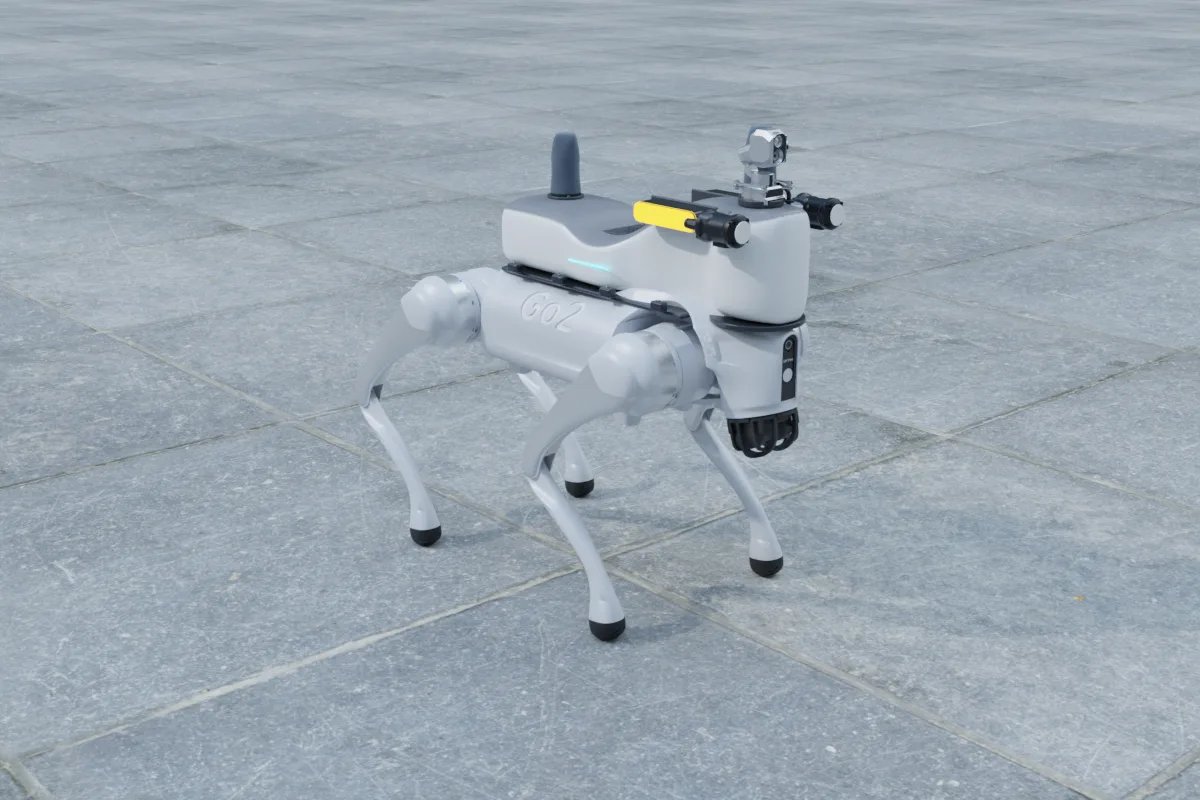
For a survey-style map of a building, the sensor matters more than the robot. The Go2's built-in L1 is designed for obstacle avoidance at short range (about 20 m in our catalog); it is rarely the sensor you build a floor-plan-grade map with. On a Go2 EDU the usual mapping payload is therefore a back-mounted Livox Mid-360 (265 g, 6.5 W, 360 x 59 degree field of view, about 70 m range) plus a Jetson Orin NX computer (up to 40 W). Together with a mounting plate and cables that stays well inside the 8 kg budget and leaves room for a depth camera such as the RealSense D435i (75 g, 2.5 W) for low obstacles. See our Mid-360 vs L1 comparison for why the extra LiDAR is worth it.
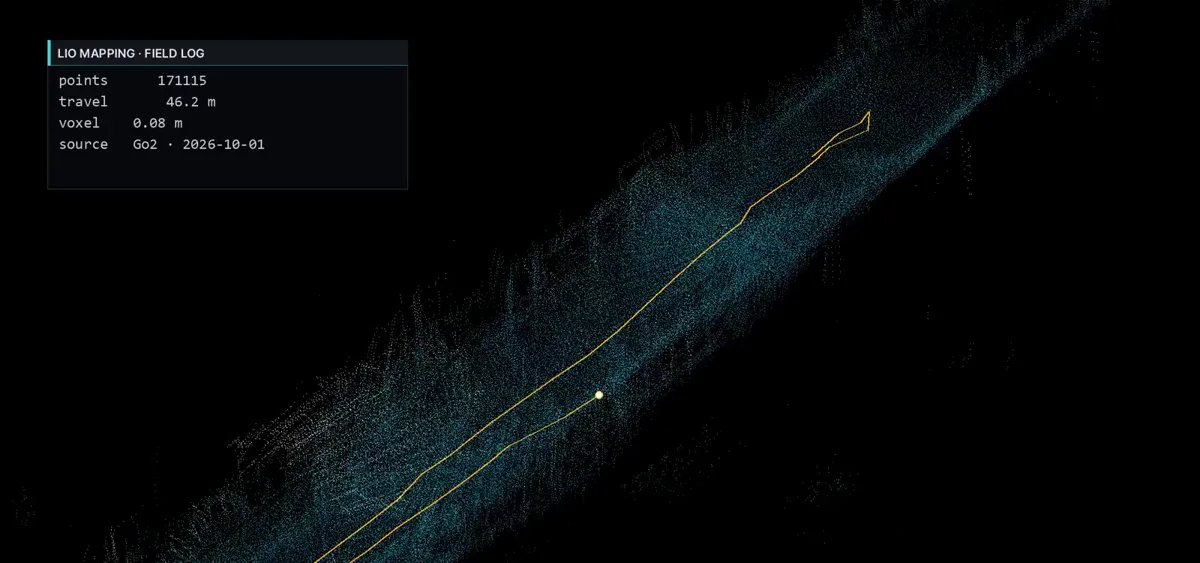
The AS2 X and EDU ship with an industrial 64 to 128-line LiDAR. If its point cloud is accessible on your unit, it can feed LiDAR-inertial mapping directly and you can skip the extra sensor, which is the main saving the AS2 offers a mapping project. Two things to verify first: that the data stream and its timestamps are exposed through the SDK on your version, and where the sensor sits. A body-mounted LiDAR sees the corridor ahead well but may be shadowed to the rear by a payload, so long corridors with few features can still benefit from a Mid-360 on top with an unobstructed 360-degree view.
Inspection: load and shift length
An indoor inspection payload is heavier than a mapping one. A dual-spectrum pan-tilt head of about 2 kg, a computer, a 5G or Wi-Fi bridge, a power board, a shell and brackets typically land at 4 to 6 kg. On the Go2 EDU that is workable but uses most of the 8 kg budget, which shortens runtime and leaves little for a gas sensor or acoustic camera later. On the AS2 X or EDU the same payload is under half the 15 kg walking load.
Runtime follows the same pattern. Unitree lists over 2.5 hours at rated load for the 15,000 mAh AS2 versions, which covers a long utility corridor or a multi-floor round in one charge. A loaded Go2 EDU is better suited to shorter rounds or to routes where it can return to a charger between floors. The AS2 EDU also lists a charging dock, which simplifies unattended rounds.
The IP54 rating on the AS2 PRO, X and EDU helps in plant rooms with drips, washdown residue or dust. Note that it covers the robot, not the payload: connectors and the payload shell need their own sealing, as explained in our guide to IP ratings for robot payloads.
How to decide
- Offices, labs, data halls, narrow aisles; mapping first: Go2 EDU with a Mid-360 and an Orin NX.
- Utility corridors, plant rooms, basements; thermal and zoom inspection: AS2 X or EDU, reusing the built-in LiDAR where its data is accessible.
- Research team that wants the widest set of existing code and examples: Go2 EDU, which has been on the market longer.
- Unattended daily rounds with docking: AS2 EDU.
- Not sure about clearances: measure the narrowest door, aisle and overhead obstacle, then decide.
YUANZHI ROBOTICS designs and integrates payloads for both robots, including mounting, power, drivers, mapping and navigation tuning. You can assemble a payload and see its weight and power totals in the online configurator, or read the platform pages for the Unitree AS2 and Unitree Go2 EDU. For the full scope of work see custom robot payloads, autonomy and navigation and inspection robots.
FAQ
Is the Unitree AS2 or the Go2 EDU better for indoor mapping?
For mapping alone in tight buildings the Go2 EDU is usually enough: it is narrower and lower, and a Livox Mid-360 plus a Jetson Orin NX fits well inside its roughly 8 kg payload. The AS2 X or EDU is the better choice when you can reuse its built-in industrial LiDAR or when the route is long.
Can I use the built-in LiDAR for SLAM instead of adding one?
On the AS2 X and EDU the industrial 64 to 128-line LiDAR can often feed LiDAR-inertial mapping if its data is accessible on your unit. The Go2 EDU's L1 is a short-range obstacle sensor (about 20 m), so most mapping payloads on a Go2 add a Livox Mid-360.
How much payload can each robot carry?
Plan against about 8 kg on the Go2 EDU and about 15 kg continuous walking load on the AS2 X and EDU, per Unitree's published figures. Leave a margin for brackets, cables and covers.
Which AS2 version supports a custom payload computer?
Unitree lists secondary development as supported only on the AS2 X and AS2 EDU. The AIR and PRO can carry a recording payload but cannot be commanded from it through the SDK.
Will either robot fit through standard doors and server aisles?
Both pass a standard door. The AS2 is about 7 cm wider and 6 cm taller than the Go2 EDU, so measure the narrowest aisle and the lowest overhead obstacle on your route, and allow roughly twice the body width where the robot has to turn.