How to pick a robot dog for a six-week pilot project
Updated 2026-11-24 · YUANZHI ROBOTICS engineering team
Choose the robot dog for a pilot backwards from the result the pilot has to prove. Write down the payload it must carry, the hardest piece of terrain on the route and the run time you need per mission; then take the smallest platform that clears all three with margin. Brand, top speed and demo videos come last. A pilot that fails because the robot was too small, or wastes budget because it was far too big, usually skipped this step.
Six weeks is long enough to collect real data and short enough to keep a budget holder interested. The trap is spending four of those weeks on integration. This guide shows how to choose a platform so that most of the pilot is spent running the robot, not fixing it.
Start from the pass/fail test, not the robot
Before you look at any platform, agree on one or two numbers that will decide whether the pilot succeeded. Good examples are: share of checkpoints completed without an operator touching the controller, number of gauge or thermal readings captured per run, or minutes of operator time per inspection round. Bad examples are "see what the robot can do" or "test autonomy". If the success test needs a reading from a sensor the stock robot does not have, the pilot is really a payload integration project, and the robot must be chosen to carry that payload.
From the test, derive three requirements: the payload list (sensors, compute, radio, mounting), the worst terrain on the route (stairs, gratings, gravel, slopes, door thresholds, wet floors) and the mission length per battery.
Size the payload first
Add up the mass of everything the robot will carry, including the mounting plate, cables, and any gimbal or arm. Our weight and power budget guide explains how to do this line by line. Then compare the total with the rated payload of each candidate and keep a margin: a robot running near its limit walks worse on stairs and loses run time. The figures below are the rated payloads we use in our configurator.
| Platform | Robot mass | Rated payload | Typical pilot fit |
|---|---|---|---|
| DEEP Robotics Lite3 | 12.9 kg | 4 kg | Research and indoor demos with a small camera or depth sensor |
| Unitree Go2 EDU | 15 kg | 8 kg | Indoor mapping, camera or thermal inspection with a compact payload |
| DEEP Robotics X30 | 56 kg | 20 kg | Outdoor industrial inspection, harsh weather, night routes |
| Unitree A2 | 37 kg | 25 kg | Outdoor inspection or delivery-style payloads with front and rear LiDAR |
| Unitree B2 | 60 kg | 40 kg | Heavy multi-sensor payloads, arms, long industrial routes |
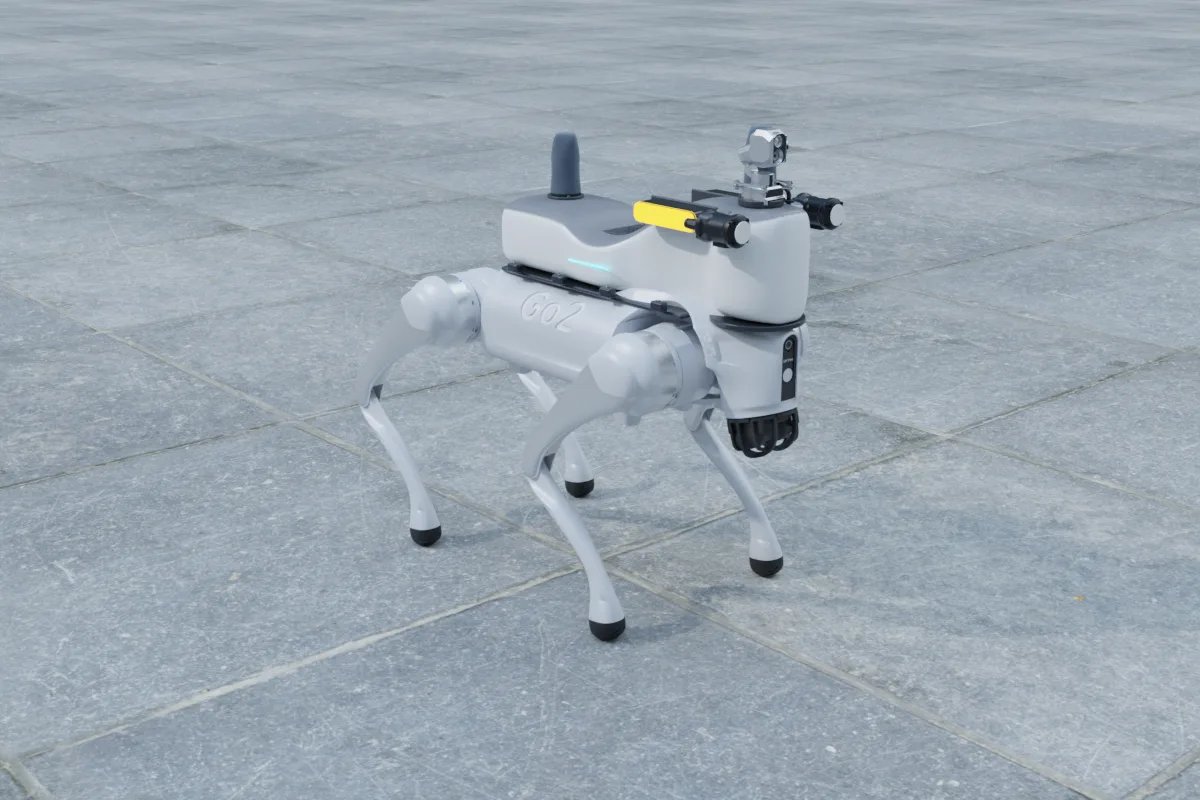
A useful rule: if your payload is more than about half of a robot's rated figure, look at the next size up, or plan the payload to be lighter. A Go2 EDU carrying a LiDAR, a Jetson module and a small gimbal is a reasonable pilot; the same robot carrying a pan-tilt zoom camera, an arm and a large battery is not.
Walk the route before you choose
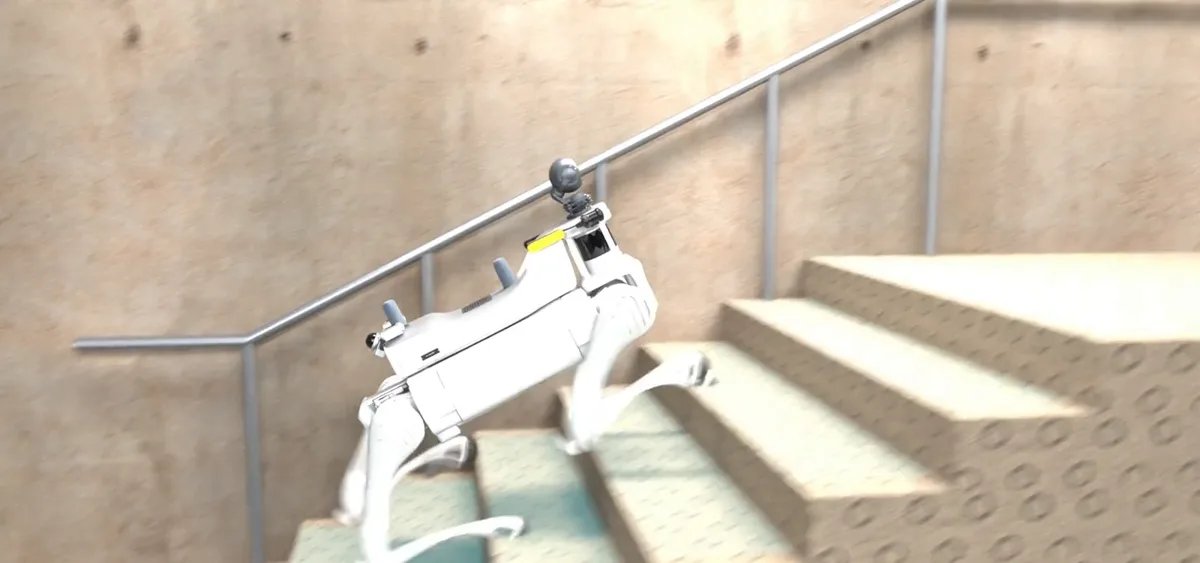
Spend a day on site with a phone camera and walk the exact route. Note every staircase (riser height, open or closed treads, handrail posts), every door and how it opens, gratings, cable trays on the floor, puddles, and where the Wi-Fi or mobile signal drops. The terrain list often changes the choice more than the payload does: open-tread or steep industrial stairs and rough outdoor ground favour the larger industrial robots, while carpeted offices and labs are comfortable for small ones.
Also check what the robot must do at each checkpoint. Reading a gauge at eye height may need a camera on a mast or a zoom lens; a thermal check of a cabinet may need the robot to stop square to it. These details define the payload layout and the navigation software you need.
Check the rights you need, not just the hardware
A pilot with a custom payload or custom navigation needs access to the robot's SDK, a place to mount hardware and power from the robot battery. Confirm before buying or renting:
- The model includes the developer SDK (for Unitree that means an EDU or industrial model, not a consumer one).
- You are allowed to mount hardware and draw power from the payload port.
- You can run your own software on an extra onboard computer and send it velocity or route commands.
- Spare batteries and a charger are included, so you can run back-to-back missions on site days.
If you need autonomous routes rather than remote driving, read getting custom autonomous navigation on a robot dog before you commit to a timeline.
A week-by-week plan
| Week | Goal | Output |
|---|---|---|
| 1 | Agree the pass/fail test, walk the route, freeze the payload list | One-page test plan and route survey |
| 2-3 | Integrate payload and software, test on a bench, then on flat floor | Robot that completes the route in a test area |
| 4-5 | Repeated runs on site at the real times of day | Run log: completed checkpoints, interventions, readings, battery use |
| 6 | Analyse results against the test, list fixes for a full deployment | Go / no-go decision with data |
The plan only works if the payload list is frozen in week 1. Every sensor added in week 4 costs integration time that should have been run time. Record every operator intervention with its location; that log is what turns a pilot into a deployment specification.
Common mistakes
- Choosing by demo video. Demos show the best route on the best day. Your route has a door, a puddle and a weak signal.
- No margin on payload or battery. A robot at its limit falls short on the stairs and the run time you planned.
- Too many goals. A pilot that tries to prove mapping, gauge reading, gas detection and fleet software at once usually proves none of them well.
- No written threshold. Without a number agreed in week 1, the result becomes a matter of opinion in week 6.
Next steps
To test a payload against real platforms, build it in our online payload configurator, which totals mass and power for each robot. Platform details are on the Unitree Go2 EDU, Unitree A2, DEEP Robotics X30 and Unitree B2 pages. If you want help scoping the pilot, see our robot payload integration, robot autonomy software and quadruped development services.
FAQ
What is the best robot dog for a pilot project?
The smallest one that carries your real payload with margin on your worst route. Light indoor camera or LiDAR pilots often fit a Unitree Go2 EDU (about 8 kg rated payload); heavier outdoor payloads point to a Unitree A2 (about 25 kg), DEEP Robotics X30 (about 20 kg) or Unitree B2 (about 40 kg).
How long should a robot dog pilot last?
Six weeks is a practical length: one week to define the test and survey the site, two weeks to integrate and bench-test the payload, two weeks of repeated runs on site, and one week to analyse results and decide.
Should I buy or rent a robot dog for a pilot?
Renting avoids capital cost, but a rental robot may not allow you to mount a payload, open the SDK or change software. If the pilot depends on a custom payload or custom navigation, confirm those rights before you sign a rental.
What should a robot dog pilot measure?
One or two numbers that decide the business case, such as the share of route checkpoints completed without help, readings captured per run, or operator time per inspection. Write the pass threshold down before the first run.
Who can set up a robot dog pilot with a custom payload?
A payload and software integrator that works with several robot brands. YUANZHI ROBOTICS designs payloads and navigation software for Unitree, DEEP Robotics and other quadrupeds and can scope a pilot from your route and sensor list.