Getting custom autonomous navigation on a robot dog: options and timeline
Updated 2026-10-28 · YUANZHI ROBOTICS engineering team
There are three realistic ways to get custom autonomous navigation on a robot dog such as a Unitree Go2 EDU: use the vendor's built-in features, assemble an open-source ROS 2 stack yourself, or have an integrator deliver a tuned stack together with the sensor payload. How long it takes depends far less on the robot than on four things: indoor or outdoor, the size of the site, whether stairs or ramps are on the route, and how the robot must report back to your own systems.
What "custom navigation" actually means
When buyers ask for autonomous navigation, they usually mean a chain of five separate pieces. Each one can be bought, reused or developed, and each one is a place where projects stall:
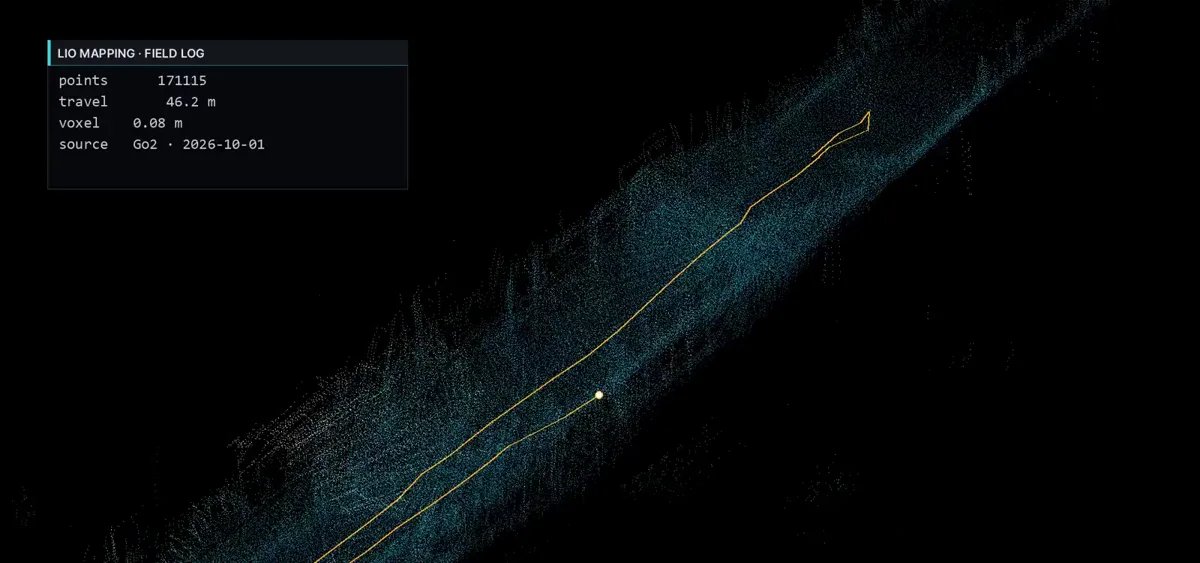
- Mapping – walking the robot once through the site and building a 3D point cloud map, typically with LiDAR-inertial odometry (LIO).
- Localization – knowing where the robot is on that map every time it starts, including after a reboot in the middle of the site.
- Planning – turning the 3D map into something a planner can use (a 2D cost map or an elevation map) and computing safe paths around people and obstacles.
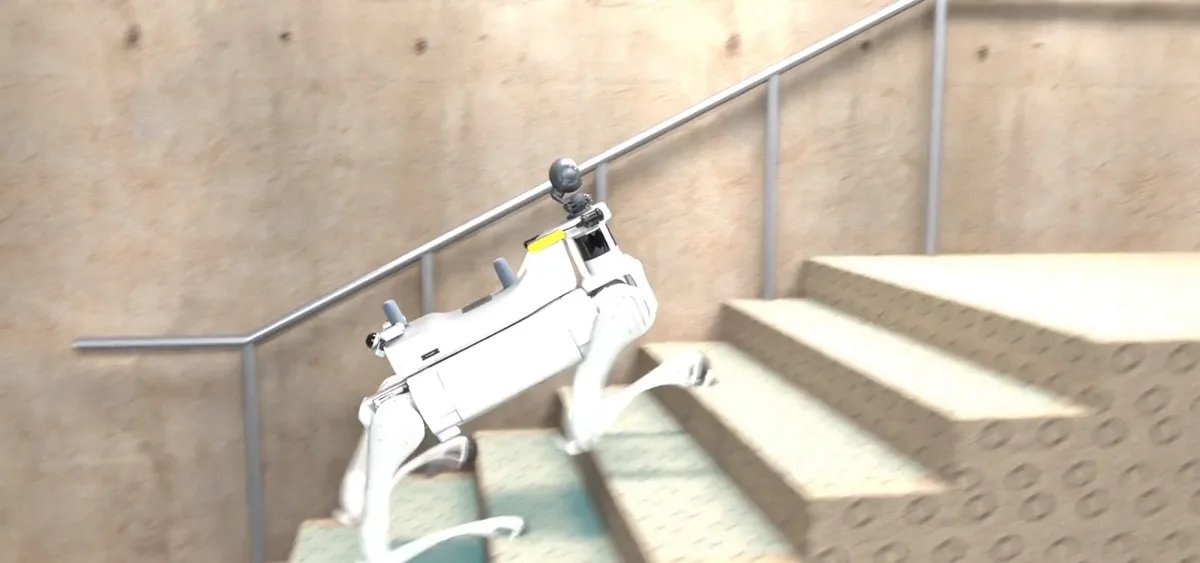
- Locomotion interface – sending velocity or gait commands to the robot through the vendor SDK (on Unitree robots, unitree_sdk2 / unitree_ros2) and handling stairs, slopes and recovery.
- Mission layer – waypoints, scheduled patrols, stop points for inspection photos, return-to-dock and a UI or API your operators actually use.
Three options compared
| Vendor built-in features | DIY open-source ROS 2 stack | Integrator-delivered stack | |
|---|---|---|---|
| Best for | Demos, simple following or remote driving | Research teams with ROS 2 experience | Repeatable patrols and inspection in a real facility |
| Extra hardware | None (uses the robot's own sensors) | You choose and mount LiDAR, compute, GNSS | Sensor payload designed together with the software |
| Map and route control | Limited to what the app exposes | Full, but you build it | Full, delivered and tuned on site |
| Integration with your systems | Usually none | Whatever you write | Agreed interface (API, ROS 2 topics, web UI) |
| Main risk | Hitting the feature ceiling | Calibration, drift and stair handling take longer than expected | Choosing an integrator who cannot test on your platform |
The open-source route is genuinely viable: LIO packages, Nav2 and elevation mapping are mature. What usually eats the time is not the algorithms but the unglamorous parts – a rigid sensor mount, extrinsic calibration between LiDAR and IMU, time synchronisation, relocalization after a restart, and tuning the planner so a 15 kg quadruped does not clip door frames.
Hardware a navigation stack typically needs
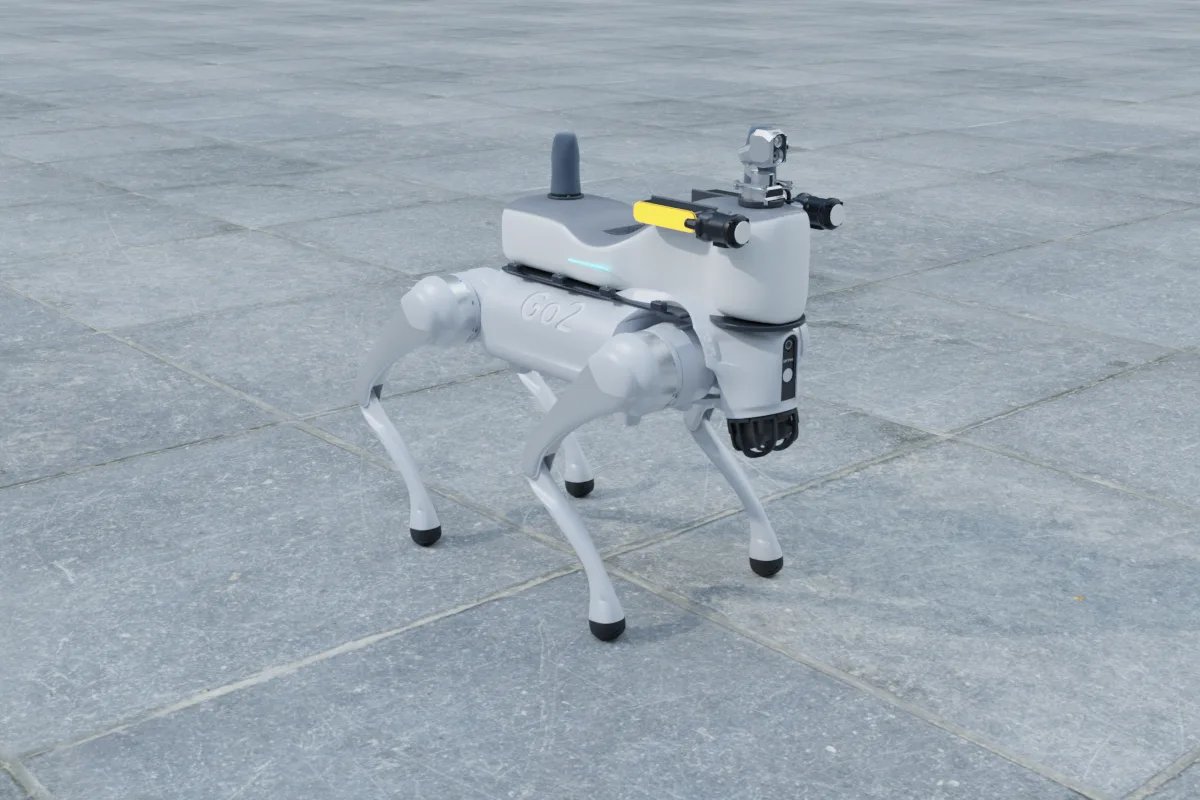
The Go2 EDU ships with a head-mounted 4D LiDAR (L1), which is fine for obstacle awareness but limited for site-scale mapping. Most custom stacks add the following (figures from manufacturer data):
- 3D LiDAR: a Livox Mid-360 weighs 265 g, draws about 6.5 W and covers 360° × 59° (−7° to 52°) with up to 70 m range. Its built-in IMU makes it a common choice for LIO. See our LiDAR comparison for the Go2.
- Onboard compute: an NVIDIA Jetson Orin NX 16GB (up to 157 TOPS, 40 W maximum power mode) leaves headroom for mapping, planning and a detection model at the same time; a Jetson Orin Nano 8GB (67 TOPS, 25 W) can run LIO and planning but is tight once you add vision AI.
- Near-field depth: an Intel RealSense D435i (75 g, about 2.5 W, 87° × 58°) fills the LiDAR's blind zone in front of the legs, which matters for low obstacles and stair edges.
- Outdoor positioning: for large outdoor sites, a dual-antenna RTK module such as the Unicore UM982 (1.82 g, about 0.6 W) with a pair of compact helix antennas (Harxon HX-CH7609A, 30.5 g each) gives absolute position and heading, so the map does not drift over long routes.
All of this stays well inside the Go2 EDU's 8 kg rated payload, but power and cable routing still need planning. If the robot already carries an Orin NX, the stack can often run on that board instead of adding a second computer.
What drives the timeline
Rather than quoting fixed durations, it is more honest to list what makes a project short or long. A project sits at the short end when:
- the site is indoor, flat and no larger than a few thousand square metres;
- routes are fixed waypoint loops rather than on-demand goals;
- the robot only needs to stop and take photos, not interact with doors or lifts;
- you can send a walkthrough video or a recorded test bag of the real site early.
It grows longer when stairs and ramps are on the route, the site mixes indoor and outdoor areas (LiDAR map plus RTK handover), the map must align with existing CAD or BIM drawings, the robot must call lifts or open doors, or the results must flow into an existing SCADA, VMS or work-order system. Integration with your own systems is often the single largest item, so define the interface (REST API, MQTT, ROS 2 topics) before any hardware is ordered.
A typical project sequence
- Requirements: site type and size, route list, stop points, environmental conditions, and what data must be delivered and where.
- Payload design: sensor selection, mount, power and cabling, checked against the robot's payload limit and field of view (the legs and head must not block the LiDAR).
- Bench bring-up: drivers, calibration, time sync and a first map in a test area.
- Site mapping and route setup: mapping walk, cost map cleanup, waypoint and stop-point definition.
- Field tuning: relocalization tests, obstacle behaviour, stair and slope tests, battery and recovery behaviour.
- Handover: operator UI or API, documentation, and remote support for map updates when the site changes.
Questions to ask before you start
- Will the stack run on my existing onboard computer and ROS 2 version, or does it need its own?
- Do I receive source code, or a binary with a configuration interface?
- How is the map updated when furniture or equipment moves?
- Can the integrator test on the same robot model and firmware that I have?
For more on choosing a partner, read who can integrate a custom payload on a robot dog.
Next steps
You can configure a navigation-ready sensor payload for your robot in our online payload configurator and submit it for a quote. Platform pages with dimensions and payload limits: Unitree Go2 EDU, Unitree B2 and Deep Robotics Lite3. Our engineering services cover robot autonomy and navigation software, quadruped development and robot payload integration.
FAQ
How do I add autonomous navigation to a Unitree Go2 EDU?
Most teams add a 3D LiDAR such as a Livox Mid-360 and an onboard computer such as a Jetson Orin NX, then run a LiDAR-inertial mapping and localization stack with a ROS 2 planner that sends velocity commands through unitree_sdk2 / unitree_ros2. An integrator can deliver this as a tuned package together with the sensor mount.
Can I use open-source ROS 2 navigation on a robot dog?
Yes. LIO mapping packages, Nav2 and elevation mapping work on quadrupeds. The extra effort is in rigid sensor mounting, LiDAR-IMU calibration, relocalization after restart and tuning for stairs and narrow doorways.
How long does it take to get custom navigation working on a robot dog?
It depends on the site rather than the robot. A flat indoor site with fixed waypoint loops is the short case; stairs, mixed indoor-outdoor routes with RTK, lift or door interaction and integration with SCADA or work-order systems all add time.
Do I need RTK GNSS for robot dog navigation?
Not indoors. For large outdoor sites, a dual-antenna RTK module such as the Unicore UM982 gives absolute position and heading and stops the LiDAR map from drifting over long routes.
Can the navigation stack run on the Jetson Orin NX already on my robot?
Often yes. A Jetson Orin NX 16GB has enough headroom for mapping, planning and a detection model; check the ROS 2 version and free compute before adding a second computer.