Maintenance schedule for a robot dog payload: what to check weekly and monthly
Updated 2026-11-24 · YUANZHI ROBOTICS engineering team
A robot dog payload needs a short check before every mission, a 15-minute inspection every week and a deeper service every month. Each mission: clean the LiDAR window and camera lenses, look for loose connectors and check that every sensor is publishing. Weekly: check fasteners, cable strain relief, seals and logged temperatures. Monthly: verify calibration, clean fans and filters, check storage health and back up the configuration. Most payload failures in the field start as a loose connector, a dirty window or a full disk, and all three are caught by this routine.
Legged robots shake their payloads far harder than wheeled robots or tripods do. Every step is a small impact, and inspection work often happens in dust, humidity and heat. This guide gives a practical schedule you can print and adapt for a payload on a Unitree Go2 EDU, B2 or A2, a DEEP Robotics X30 or a similar quadruped. It assumes a typical inspection payload: a LiDAR, one or more cameras or a gimbal, an onboard computer such as a Jetson Orin NX, a radio or 5G module and a power board fed from the robot battery. Adjust the intervals to your operating hours: for a robot that runs two shifts a day, treat a "week" as three or four days.
Before every mission (2 to 5 minutes)
- Optics: wipe the LiDAR window and every camera lens with a lens cloth. A fingerprint or dust film on the LiDAR window shows up as phantom points or reduced range, and a hazy thermal lens lowers the apparent temperatures.
- Connectors: press every external connector home by hand and look for bent pins or a cable pulled tight across a joint.
- Data check: after boot, confirm that every sensor topic is publishing at its normal rate. On ROS 2, a saved list of expected topics and rates turns this into a one-command check.
- Battery and storage: confirm the robot battery is charged and the payload disk has room for the mission's recordings.
Weekly checklist (about 15 minutes)
| Item | What to do | What a problem looks like |
|---|---|---|
| Mounting fasteners | Check payload-to-robot screws and sensor brackets with a torque driver; re-apply thread locker if one turns freely | Rattling while walking, a LiDAR map that drifts or tilts |
| Cables and strain relief | Inspect cable ties, clips and any cable that crosses a moving part or the shell edge | Chafed jacket, intermittent sensor dropouts |
| Seals and gaskets | Look at lid gaskets, cable glands and blanking plugs; replace any that are torn or flattened | Condensation inside the shell, corrosion on connectors |
| Temperature log | Compare this week's peak compute and enclosure temperatures with the first week after delivery | A slow upward trend usually means a clogged fan or filter |
| Radio link | Note signal strength and video bitrate at a fixed spot on site | Lower values at the same spot point to an antenna, cable or SIM issue |
| Software logs | Scan for driver restarts, dropped messages and time-sync warnings | Repeated restarts of one driver are an early sign of a cable or power fault |
The fastener check matters most on quadrupeds. Constant stepping slowly works screws loose, and a LiDAR that has shifted by a fraction of a degree relative to the robot's IMU will still produce a map, just a warped one. For which parts should be mounted rigidly and which should not, see vibration isolation for robot payloads.
Monthly service (1 to 2 hours)
- Calibration check: walk a known loop and compare the map or odometry with last month's. For camera-to-LiDAR alignment, check that projected points still line up with edges in the image. Recalibrate only if the check fails; unnecessary recalibration adds its own error.
- Fans and air paths: open the service cover, blow dust out of fans, heat sinks and any filter mesh, and confirm each fan spins up.
- Storage health: read the SSD or NVMe health status, move old recordings off the robot and keep a fixed amount of free space as a rule.
- Power board: look for discoloured connectors or melted insulation near DC-DC converters and fuses, and measure the output rails under load if test points are available.
- Gimbal and moving parts: run the gimbal through its full range and listen for grinding; check that a pan-tilt unit or robot arm returns to its home position.
- Backups: save the current configuration, calibration files, maps and a disk image of the onboard computer, so a failed SSD is a quick swap rather than a rebuild.
- Updates: apply robot firmware and payload software updates on a test day, not the morning of an inspection, and keep the previous version ready to roll back.
Every few months, or after an incident
After a fall, a collision, heavy rain, or a long period in storage, treat the payload as if it were new: run the full bench test from how to test a robot payload before it goes on the robot, including a thermal soak and a shake test, before the next mission. The same applies after replacing any sensor, because a new unit needs its own calibration.
Keep a simple maintenance log
A spreadsheet with one row per check is enough: date, operating hours, who checked, what was found and what was changed. The value is in the trends. If the compute temperature has risen every month or the same driver keeps restarting, the log shows it long before a mission fails.
Design choices that make maintenance easier
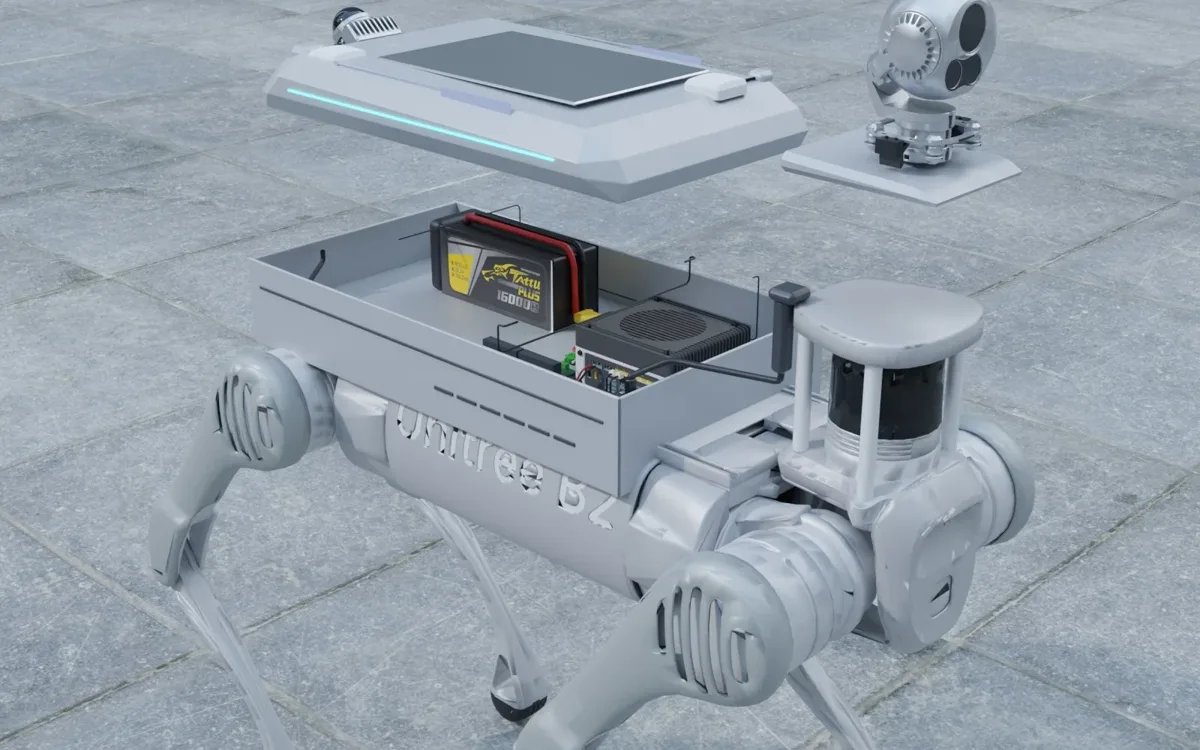
Much of the maintenance burden is decided at design time. Payloads that are quick to service usually have a removable service cover with captive screws, keyed connectors labelled at both ends, air paths that can be cleaned without opening the electronics bay, health data (temperatures, voltages, disk space, driver status) published to the operator console, and a spare-parts list that names every part by exact model. When you compare suppliers, ask how long a LiDAR or SSD replacement takes and whether it needs on-site recalibration.
Get a payload that is easy to keep running
YUANZHI ROBOTICS designs payloads with service access, health monitoring and documented spare parts in mind, and can add maintenance checks, health dashboards and remote diagnostics as software features. Start with the payload configurator to pick parts and see the total mass and power for your robot, then see the platform pages for the Unitree Go2 EDU, Unitree B2 and DEEP Robotics X30. Our robot payload, inspection robot and quadruped development service pages describe what we design, deliver and support.
FAQ
How often should a robot dog payload be maintained?
Do a quick pre-mission check every time the robot goes out, a 15-minute inspection weekly and a deeper service monthly. Shorten the intervals if the robot runs more than one shift a day or works in dust, rain or heat.
Why do screws come loose on a robot dog payload?
Every step of a legged robot is a small impact, so fasteners see constant vibration. Check payload and sensor bracket screws weekly with a torque driver and use thread locker where a screw keeps turning.
How do I know if my robot's LiDAR needs recalibration?
Walk a known loop and compare the map or odometry with an earlier run, and check that LiDAR points projected into the camera image still line up with edges. Recalibrate only if the check fails, and always after replacing or remounting a sensor.
What should I back up on a robot payload computer?
Configuration files, calibration files, maps and a full disk image of the onboard computer, so a failed SSD can be swapped quickly instead of rebuilding the software.
Can a payload supplier add health monitoring for maintenance?
Yes. Temperatures, voltages, disk space and driver status can be published to the operator console with alerts. YUANZHI ROBOTICS can add health dashboards and remote diagnostics as software features.