Unitree AS2 payload guide: what to add and what to reuse from the robot
Updated 2026-11-07 · YUANZHI ROBOTICS engineering team
The Unitree AS2 sits between the Go2 and the B2: about 20 kg with battery, IP54 on most versions, and a continuous walking load of 10 to 15 kg depending on the version. It arrives with a 3D LiDAR on every version, an HD camera and, on most versions, GPS and 4G hardware. This guide sets out what the robot already provides according to Unitree's published specifications, what an inspection or mapping payload usually needs to add, what is better reused from the robot, and how to stay inside the weight and power budget.
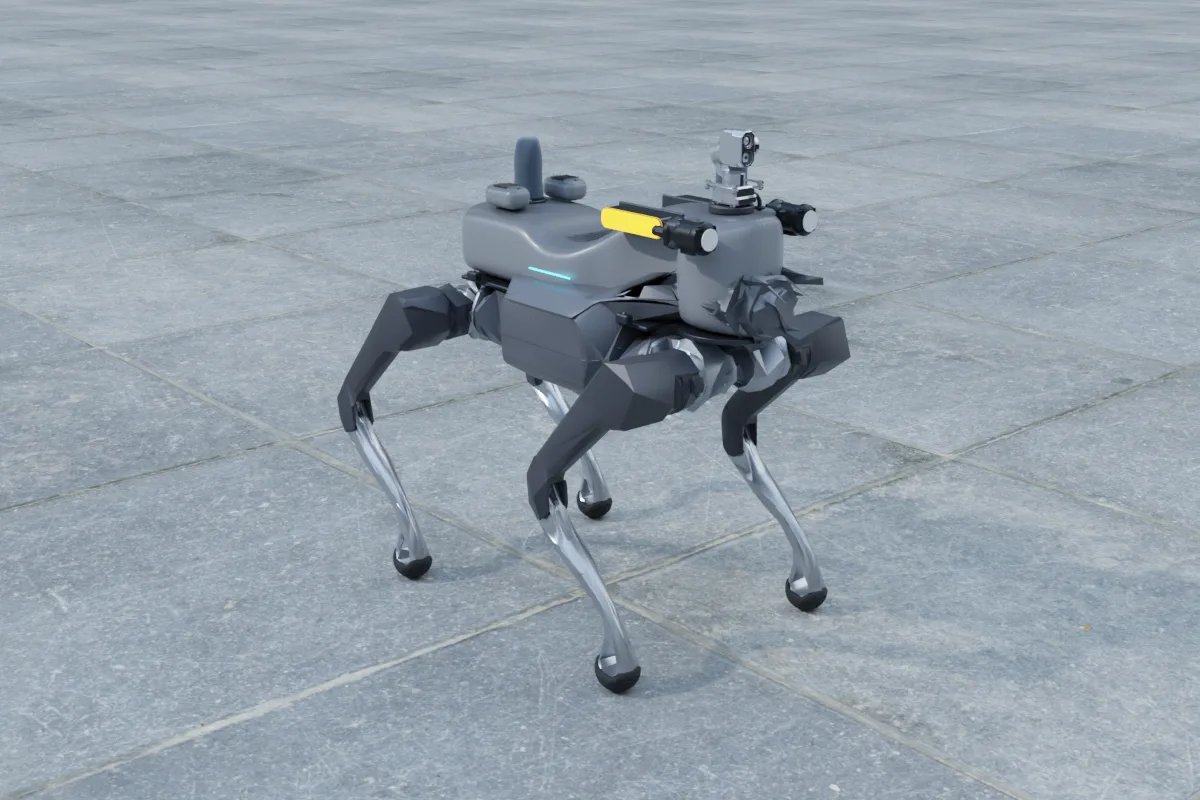
What the AS2 already has
Unitree sells the AS2 in four versions: AIR, PRO, X and EDU. The table below uses the figures on Unitree's AS2 product page, which states they were measured under laboratory conditions and may vary by configuration.
| AIR | PRO | X | EDU | |
|---|---|---|---|---|
| Weight with battery | About 20 kg; standing size 720 x 378 x 457 mm | |||
| Continuous walking load | About 10 kg | About 13 kg | About 15 kg | About 15 kg |
| Maximum standing load | About 45 kg | About 55 kg | About 65 kg | About 65 kg |
| Battery | 8,000 mAh | 15,000 mAh (648 Wh) | ||
| Runtime | About 2 h unloaded; over 1.5 h with 10 kg | About 4 h unloaded; over 2.5 h with rated load | ||
| Stairs and slopes | 20 cm, about 30 degrees | 25 cm, about 40 degrees | ||
| LiDAR | Unitree L2 | Industrial-grade 64 to 128-line LiDAR | ||
| Protection | Not rated | IP54 | ||
| GPS and 4G | No | Fitted, disabled by default | ||
| Secondary development | Not supported | Not supported | Supported | Supported |
| Charging dock | No | No | No | Yes |
All versions list an HD camera, Wi-Fi 6, Bluetooth 5.2, an 8-core CPU and the same external interfaces: one Gigabit Ethernet port, one SBUS port and a battery power output, with a supply voltage of 36 to 50.4 V. Unitree does not publish the current limit of the battery output or a payload mounting pattern on its product page, so both need to be confirmed against the user manual or with the dealer for the unit in hand. One retailer listing for an EDU Ultimate configuration adds three depth cameras, a Livox Mid-360 and a 100 TOPS NVIDIA Jetson Orin module; that is a dealer configuration, not a line in Unitree's own table. Unitree's own table does list a high-compute expansion dock (for example Orin NX) as an EDU-only option.
The practical point for integrators: only the X and EDU versions are listed as supporting secondary development. A payload that needs to read robot state, send motion commands or run its own navigation stack should be planned on an X or EDU. On AIR and PRO, a payload can still record data and run its own software, but it cannot drive the robot through the SDK.
What to reuse from the robot
- Locomotion and obstacle avoidance. Leave gait, stairs and close-range avoidance to the robot's own controller and LiDAR. Replacing them gains little and costs a lot of testing.
- The built-in LiDAR. On PRO, X and EDU the industrial multi-line LiDAR is a real mapping sensor. Check whether its point cloud is exposed on the development interface of your version before adding a second LiDAR only for mapping.
- GPS and 4G. They are fitted on PRO, X and EDU but disabled by default. For coarse outdoor position and basic telemetry they may be enough once enabled.
- Battery and IP54 body. Draw payload power from the robot's battery output rather than adding a second pack, and build the payload to the same protection level so the robot's rating is not wasted.
What an inspection or mapping payload usually adds
- A mapping LiDAR, where needed. On the AIR, which carries the smaller Unitree L2, a back-mounted Livox Mid-360 is our usual addition for site maps. On the multi-line versions we only add one when the built-in data is not accessible or a second viewpoint is needed.
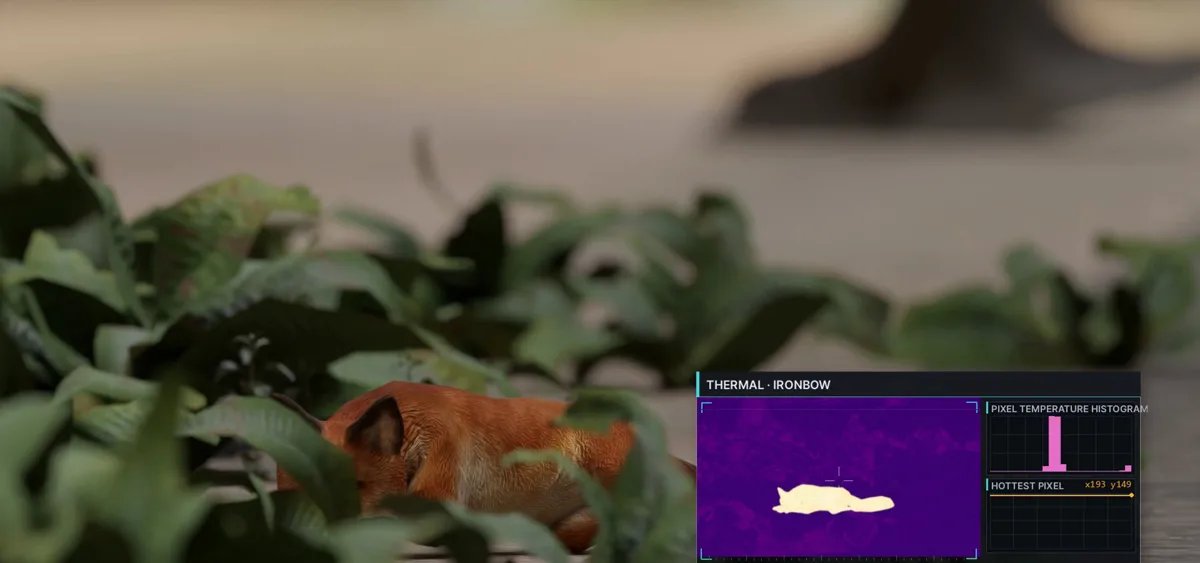
- A thermal and zoom camera head. The built-in HD camera is for driving and overview. Reading gauges, checking hot spots on panels and inspecting valves at a distance needs a pan-tilt head with optical zoom and a radiometric thermal sensor.
- RTK GNSS. For outdoor routes that must repeat to a few centimetres, a dual-antenna RTK receiver gives position and heading. Antennas need clear sky and separation; see the mounting notes below.
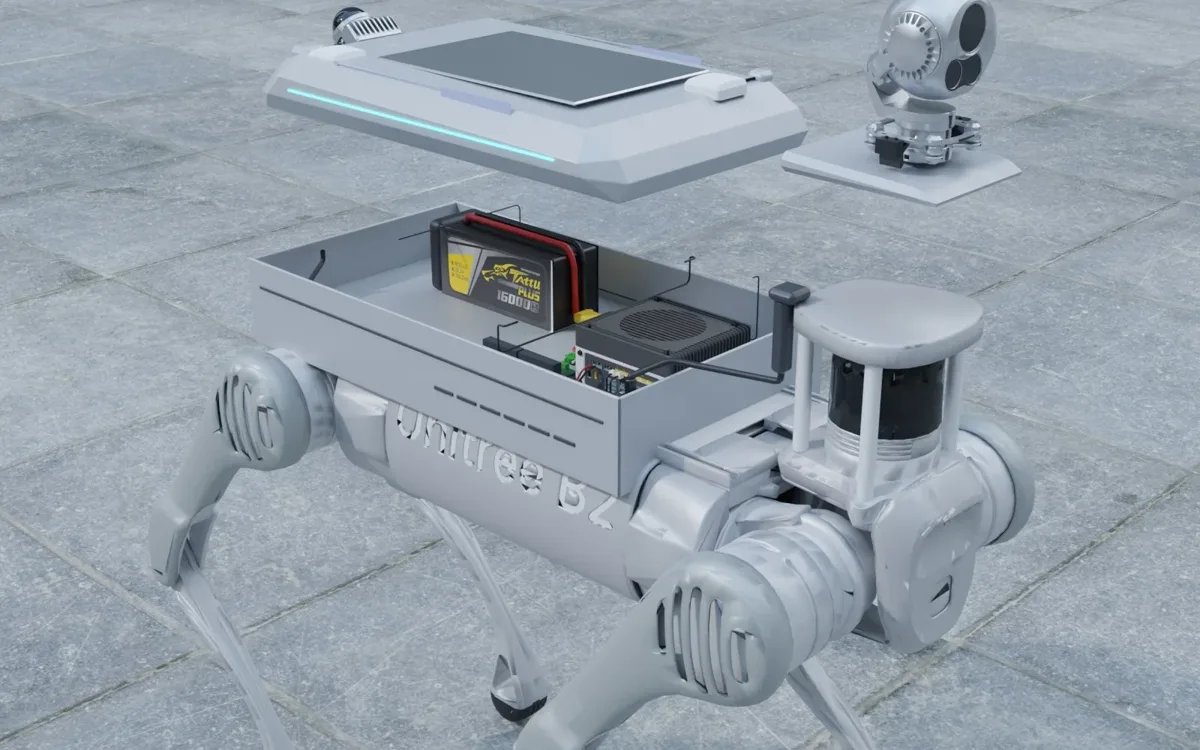
- A payload computer. On X, or on an EDU without the expansion dock, an NVIDIA Jetson Orin NX 16 GB runs LiDAR-inertial SLAM, detection and the inspection application without loading the robot's own CPU.
- 5G or a private radio link. For live video from sites without Wi-Fi coverage, a 5G module or a mesh radio, depending on the site and country.
- Task sensors. Gas detectors, acoustic sensors or a fire-suppression nozzle, according to the job.
Weight budget
Plan against the continuous walking load, not the standing load. The standing figure (45 to 65 kg) describes what the robot tolerates when stationary; the walking load (10 to 15 kg) is what it carries on the move with the published runtime. We aim to keep a complete payload at roughly two thirds of the walking load, so that cables, a rain cover and the odd extra sensor do not push the robot to its limit on stairs and slopes.
| Item | Notes on weight |
|---|---|
| Mounting plate, brackets, fasteners | Often the largest single item; machined aluminium, not printed |
| Mapping LiDAR with bracket | About 0.5 kg for a Mid-360 with mount and cable |
| Pan-tilt thermal and zoom head | Usually the heaviest sensor; check the vendor datasheet |
| Payload computer, enclosure, power board | Depends on cooling and on the enclosure's IP rating |
| RTK receiver, antennas, 5G module | Light, but antenna masts add leverage |
Mounting and power notes
- Keep the centre of mass low and near the middle of the body. A tall pan-tilt mast far forward changes how the robot handles stairs.
- Use one rigid plate with known offsets to the robot body frame, so LiDAR, cameras and RTK antennas share one calibration.
- Take power from the battery output (36 to 50.4 V) into a payload power board with fusing and regulated 12 V and 24 V rails. Confirm the permitted current of the output for your version first.
- The robot has a single Gigabit Ethernet port, so a small switch on the payload is normal when the computer, LiDAR and camera head all need wired links.
- Place RTK antennas as far apart as the plate allows and out of the LiDAR's field of view where possible; mask anything that stays in view in software.
- Seal connectors and enclosures to match the robot's IP54 rating on PRO, X and EDU.
Typical configurations
| Task | AS2 version | Payload adds | Reuses |
|---|---|---|---|
| Indoor site mapping | X, or AIR for recording only | Mid-360 on AIR, payload computer, offline map rebuild | Robot LiDAR for avoidance, HD camera |
| Plant or substation inspection rounds | X or EDU | Thermal and zoom head, Orin NX computer, inspection software | Multi-line LiDAR, gait, IP54 body |
| Outdoor route patrol | X or EDU | Dual-antenna RTK, 5G link, camera head | Built-in GPS and 4G as fallback |
| Gas or fire response | X or EDU | Gas sensors, thermal camera, task actuator | Locomotion, battery |
| University research | EDU or X | Computer, extra LiDAR or cameras, data logging | SDK access, robot state |
Our AS2 work and prices
We have built an AS2X payload for a university customer, with the mounting plate, computing and sensors integrated on the back of the robot. Our public prices are: entry mapping kit from US$2,000, complete inspection kit from US$8,690, and the Jetson Orin NX 16 GB payload computer at US$2,290. Final prices depend on the sensors chosen and the robot version.
If you are planning an AS2 project, send us the robot model and version, the task, a short description of the site and the delivery country. We will tell you which built-in sensors can be reused and what the payload needs to add before you order anything.
FAQ
How much payload can the Unitree AS2 carry?
Unitree lists a continuous walking load of about 10 kg for the AIR, 13 kg for the PRO and 15 kg for the X and EDU, with standing loads of about 45, 55 and 65 kg. Plan a payload against the walking figure and leave a margin for cables and covers.
Which AS2 version should I buy for a custom payload?
The X or the EDU. Unitree lists secondary development as supported only on those two, which is what a payload needs to read robot state or send navigation commands. AIR and PRO can carry a recording payload but cannot be driven from it through the SDK.
Do I need to add a LiDAR to the AS2?
Often not on PRO, X and EDU, which have an industrial 64 to 128-line LiDAR, provided its data is accessible on your version. On the AIR, which carries the smaller Unitree L2, a back-mounted Livox Mid-360 is our usual addition for mapping.
How do I power a payload on the AS2?
From the robot's battery power output, at the pack voltage of 36 to 50.4 V, through a payload power board with fusing and regulated rails. Unitree does not publish the output's current limit on its product page, so confirm it for your unit.
Does the AS2 have GPS and mobile data?
PRO, X and EDU have GPS and 4G hardware, disabled by default; the AIR does not. For outdoor routes that must repeat to a few centimetres, add an RTK receiver with dual antennas.