Autonomous docking and charging for robot dogs and UGVs: what it takes to run unattended
Updated 2026-11-03 · YUANZHI ROBOTICS engineering team
A robot that someone has to plug in after every round is a tool. A robot that charges itself and runs the next round on schedule is a system that works nights and weekends. The difference is a dock, a charging path for the payload as well as the robot, and the software that manages battery, schedule and failures. This guide covers each, with the practical details that decide whether docking works every time or only when someone is watching.
What the dock has to do
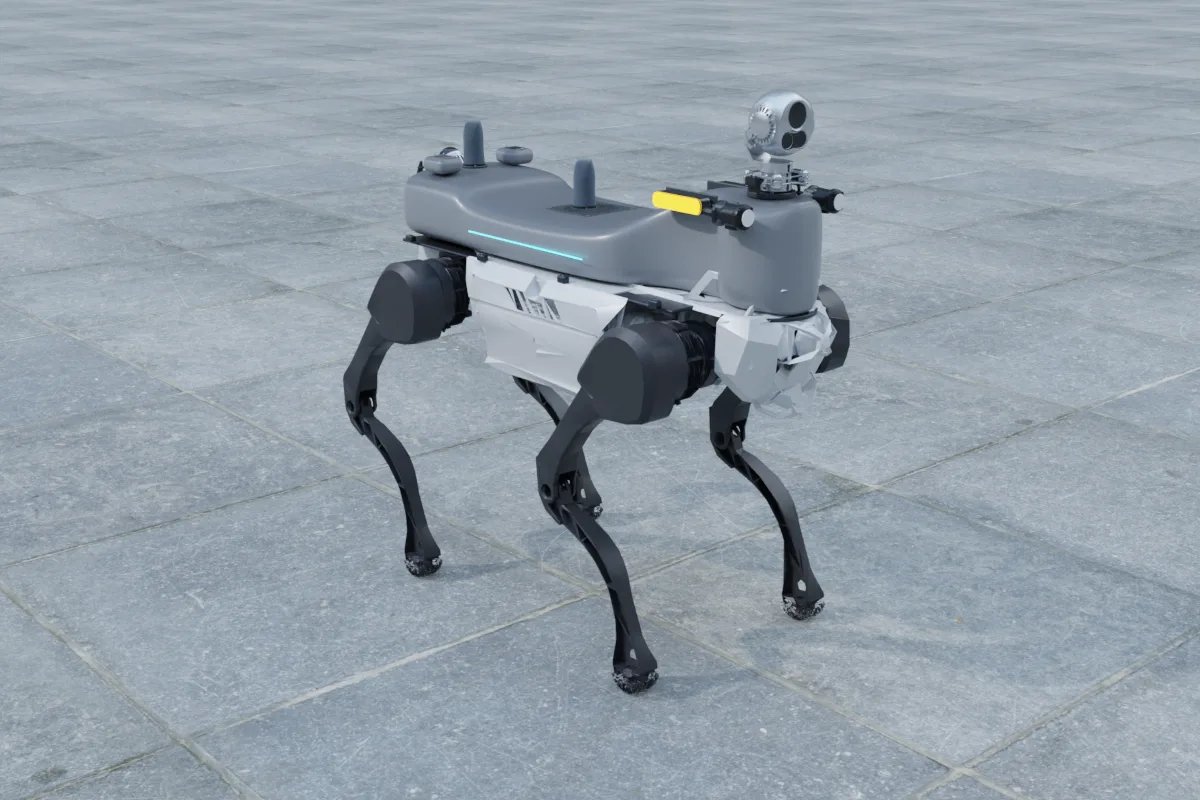
A dock does three things: give the robot something it can find and align with, make a reliable electrical contact once the robot is in position, and manage the charge. Robot manufacturers supply docks for their own platforms, and they are the right starting point because the robot's controller knows how to use them. For a quadruped the docking motion is either lying down onto a plate with contacts on the robot's belly, or backing onto a bar with contacts at the rear. For a wheeled or tracked UGV it is driving onto a rail or into a bay with spring-loaded contacts at the front or underneath.
The alignment tolerance of the contacts is what makes docking hard. A plate with large contact pads tolerates a few centimetres of error; a rear bar with pins needs the robot within a centimetre and square to the dock. The robot's navigation gets it close; the final approach uses a visual fiducial on the dock or the dock's reflective target in the LiDAR, and the robot creeps in on that.
Finding the dock
Indoors, the dock pose is stored on the LiDAR map and the robot navigates to a waypoint in front of it, then switches to the fiducial for the last metre. Outdoors, RTK GNSS gets the robot to the shelter and the fiducial does the rest. Two details matter: the dock must not move (a dock on a trolley that gets shifted during cleaning breaks docking until the map is updated), and the approach must stay clear (a hose left across the shelter floor is the most common cause of a missed dock). The software checks the approach with the depth camera and reports an obstacle rather than pushing through it.
Charging the payload
An inspection payload with a gimbal, LiDAR, compute, 5G and acoustic imager has its own battery, because running it from the robot would cut the robot's runtime and tie the payload to one robot. That battery has to be charged at the dock too, or the robot charges while the payload goes flat. Two arrangements work:
- Payload contacts on the dock: a second set of contacts on the dock meets contacts on the payload when the robot docks. This is what we fit on platforms where the robot's charging bus is not available to the payload. The dock is modified with the extra contacts and a separate charger for the payload battery.
- Charging through the robot: some platforms expose a charging bus or a power port that is live while docked. The payload charges from it through a DC-DC charger inside the payload. Simpler mechanically, but dependent on the manufacturer's port rating and firmware.
In both cases the payload stays powered while docked, so it keeps uploading the last round, receives software updates and reports its own charge state; the control centre shows robot and payload batteries separately.
The software side
Docking is a navigation task, but running unattended is a scheduling task. The control centre:
- runs rounds on a timetable (for example every 3 hours, or at fixed times), with the robot returning to the dock between them;
- sends the robot back when either battery reaches a return threshold, chosen with reserve for the walk back and for docking retries, typically 25 to 30 percent;
- suspends a round at a checkpoint if the battery will not last to the end, docks, and resumes from that checkpoint rather than restarting;
- retries a failed dock from a slightly different approach a set number of times, then parks the robot, raises an alarm and attaches the camera image, so an operator can see the problem remotely;
- keeps the robot in the shelter in weather the site has set as out of limits (heavy rain, ice, high wind) and resumes afterwards;
- logs every dock attempt, so that a dock that is starting to fail (worn contacts, a shifted marker) is noticed before it stops working.
Outdoor docks
An outdoor dock lives in a shelter: a kiosk or a small enclosure with a roof, a drained floor, a heater for winter and a door or flap the robot can open or that stays open. The contacts are spring-loaded and covered against rain, the charger is in a sealed cabinet, and the approach is paved and kept clear. The main failure mode is snow and ice on the approach and on the contacts, so sites in cold climates heat the shelter floor and the robot checks for contact voltage before it starts to charge. A camera in the shelter lets the operator see the dock remotely.
Runtime and schedule
A Unitree B2 or DEEP Robotics X30 with a 10 kg inspection payload runs about 1.5 to 2 hours of inspection per charge and recharges in about the same time. With a dock, that is a round every 3 to 4 hours around the clock, or several rounds in a working day with the robot charging in between. A substation round of 30 to 60 checkpoints takes 30 to 60 minutes, so a single robot with a dock covers a site several times a day. UGVs run longer per charge and charge faster per hour of operation, so a UGV with a dock can patrol a perimeter almost continuously.
What to specify
- the robot manufacturer's dock for the platform, with the payload charging contacts or the payload port charging path specified;
- the dock location: on the level where rounds start, indoors or in a shelter, with a clear paved approach and power nearby;
- return thresholds, retry policy and weather limits in the control centre;
- a camera view of the dock for remote diagnosis;
- for outdoor sites, the shelter heating and drainage, and who keeps the approach clear.
If you are planning unattended rounds on a robot dog or UGV, tell us the platform, the site and the round length; we will tell you which dock and charging arrangement we would use and what schedule it supports.
FAQ
How does the robot find the dock?
By navigating to a stored dock pose on its map with LiDAR SLAM, then using a fiducial marker or the dock's own reflective target for the final alignment, which has to be within a few centimetres for the contacts to meet. Outdoors RTK GNSS gets the robot close and the marker finishes the job.
Can the payload charge through the dock?
Yes, in two ways. Either the payload has its own charging contacts that meet a second set on the dock, or it charges from the robot's charging bus through the payload port where the robot manufacturer allows it. Our payloads use their own contacts on platforms where the robot's bus is not exposed.
How much runtime does a dock give?
A B2 or X30 with an inspection payload runs 1.5 to 2 hours per charge and charges in about 1.5 to 2 hours. With a dock the robot alternates rounds and charging through the day and night; a round every 3 to 4 hours is a typical schedule, with no one on site.
Does the dock work outdoors?
Outdoor docks are housed in a shelter or kiosk with a roof, drainage and heating for winter, and the contacts are spring-loaded and protected. Snow and ice on the approach are the main failure mode, so the shelter floor is kept clear and the robot checks contact before it tries to charge.
What happens if docking fails?
The robot retries from a slightly different approach a set number of times, then parks and raises an alarm with its camera image, so an operator can see what blocks the dock. The charge level at which it returns is chosen so that there is reserve for retries and for the walk back.